
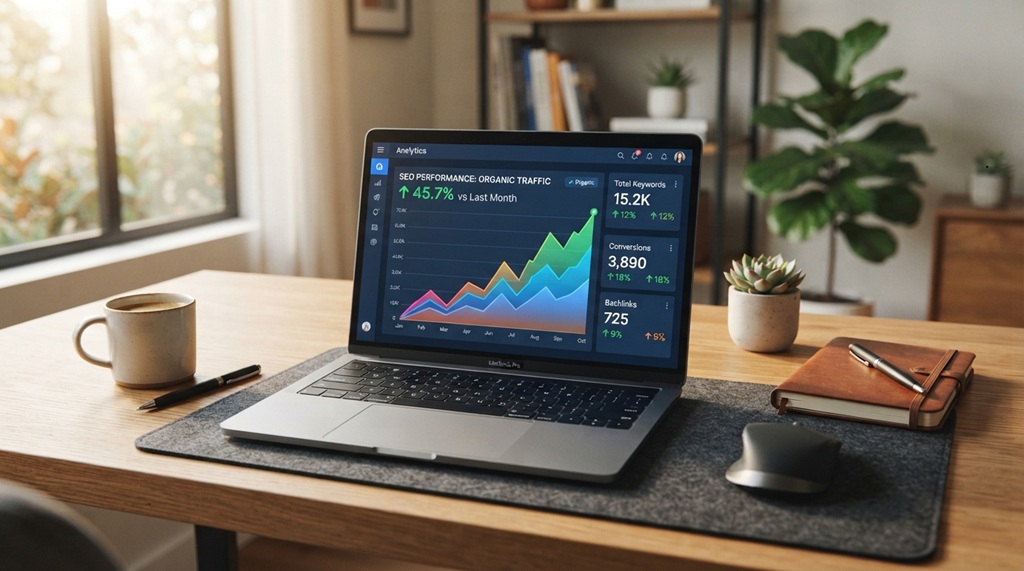
You want your content to rank higher on Google. The fastest way to do that is through on-page SEO. On-page SEO means optimizing the elements on your own page, not chasing backlinks or waiting months for results.
Most creators skip on-page SEO because they think it’s too technical. It isn’t. You can fix your titles, headings, images, and content structure in a single afternoon. These small changes send clear signals to Google about what your page covers.
This guide breaks down the exact on-page tactics that move rankings. Each one is simple enough to apply today, even if you have zero coding experience.
What Is On-Page SEO and Why It Matters
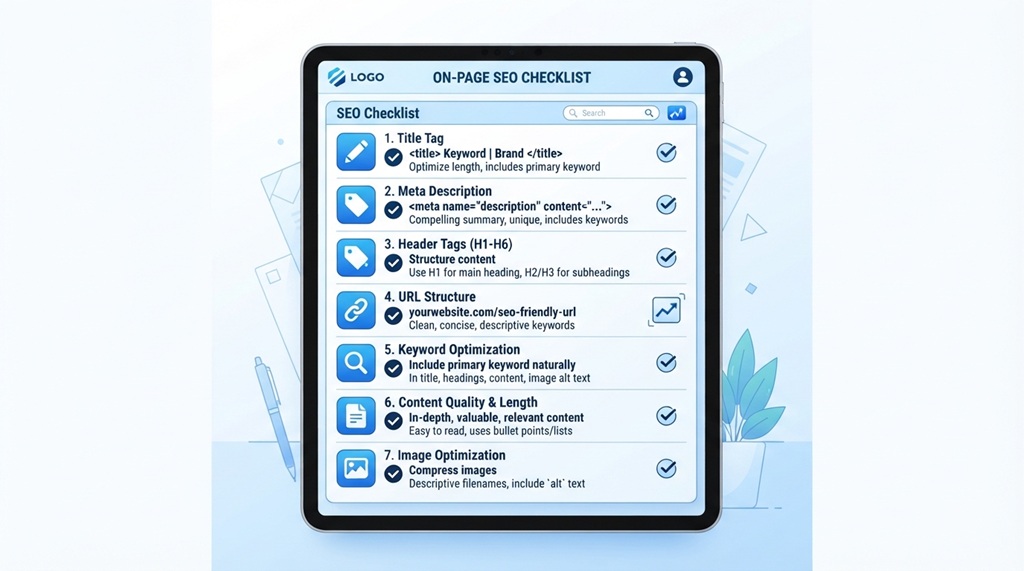
On-page SEO covers everything you control directly on your webpage. This includes your titles, headings, content, images, and internal links. Google reads these signals to understand what your page is about and who should see it.
Off-page SEO, by contrast, involves things outside your page. Backlinks and social shares fall into this category. You can’t fully control off-page factors, but you control every on-page element.
Search engines rank pages that answer a user’s question clearly and quickly. When you structure your page well, Google trusts it more. Trust leads to better rankings, and better rankings bring more traffic.
Why Tech-Savvy Audiences Need Sharp On-Page Strategy
In an increasingly crowded digital landscape where emerging AI tools and shifting platform algorithms relentlessly compete for search dominance, brilliant technical insights risk remaining virtually invisible without meticulous search optimization. Modern tech readers demand immediate access to authoritative, up-to-date information, meaning even the most breakthrough content can be easily buried beneath weaker competitors who simply execute on-page fundamentals better. Mastering these core on-page tactics provides your content with the structural edge needed to capture top search positions; once you have secured that high-intent organic traffic, maximize its value by discovering grow your email list fast with lead magnets to seamlessly convert passive readers into a dedicated subscriber base.
Optimize Your Title Tag and Meta Description
Your title tag is the first thing Google and users see. Write it to include your main keyword near the beginning. Keep it under 60 characters so Google doesn’t cut it off in search results.
Your meta description doesn’t directly boost rankings, but it drives clicks. A strong meta description tells the reader exactly what they’ll get. It also includes your keyword and ends with a reason to click through.
Here’s a simple formula for both:
- Title: Main Keyword + Benefit or Angle + Brand (optional)
- Meta description: Promise + Keyword + Call to action
Avoid stuffing keywords into either field. Google’s algorithms flag unnatural repetition, and readers skip descriptions that feel spammy.
Structure Your Content With Clear Headings
Clear headings help both readers and search engines scan your page fast. Use one H1 per page for your main title. Break your content into H2 sections for major topics, and use H3s for subpoints under those sections.
Each heading should describe exactly what’s in that section. Avoid vague headings like “Let’s Dive In” or “More Info.” Google’s crawlers use headings to understand your content’s structure, and vague headings waste that opportunity.
Keep Headings Keyword-Relevant, Not Keyword-Stuffed
You don’t need your exact keyword in every heading. Use natural variations instead. For example, if your keyword is “rank higher on Google,” a heading like “Boost Your Google Search Position” still signals relevance without repeating the same phrase.
This approach also improves readability. Readers get bored fast when every heading sounds identical.
Write for Readability First, Algorithms Second
Google’s algorithms increasingly reward content that real humans enjoy reading. This means short paragraphs, simple words, and active sentences matter more than ever.
Aim for sentences under 20 words wherever possible. Long, complex sentences slow readers down and increase bounce rates. Bounce rates are a signal Google tracks closely.
Active voice also makes your writing punchier. Compare these two examples:
- Passive: “The article was written by the team.”
- Active: “The team wrote the article.”
The active version is shorter and clearer. Readers process it faster, and search engines favor pages where people stay longer.
Simple Vocabulary Wins More Readers
Complex vocabulary might sound impressive, but it often pushes readers away. Most search traffic comes from people scanning quickly on mobile phones. They want fast answers, not a vocabulary lesson.
Swap complicated words for simpler ones whenever you can. Use “use” instead of “utilize.” Use “help” instead of “facilitate.” This single habit can meaningfully improve your readability score.
Optimize Images and Alt Text
Every image on your page should include descriptive alt text. Alt text tells Google what the image shows, since search engines can’t “see” images the way humans do.
Write alt text that describes the image naturally. Include your keyword only if it genuinely fits the image. Forcing a keyword into every alt tag looks spammy and doesn’t help your rankings.
Compress your images before uploading them, too. Large image files slow down page speed, and Google factors page speed into its ranking decisions. Tools like TinyPNG or built-in WordPress compression plugins handle this in seconds.
Use Internal Links to Guide Readers and Google

Internal links connect your pages to each other. They help readers discover related content, and they help Google understand your site’s structure.
When you publish a new article, link to two or three related pages on your site. Use descriptive anchor text instead of generic phrases like “click here.” Descriptive anchor text tells Google what the linked page covers.
This tactic often gets overlooked, yet it’s one of the most effective on-page tools available. Internal links spread ranking power across your site instead of trapping it on a single page.
The Overlooked Angle: Update Old Content Instead of Only Publishing New Posts
Most SEO guides focus entirely on new content. Here’s a tactic many articles skip: refreshing old posts often ranks faster than publishing new ones.
Google already trusts pages with some history and existing backlinks. When you update an old post with fresh stats, better headings, and improved readability, that page can jump in rankings within weeks. This works especially well in tech niches, where information ages quickly and readers expect current details.
Pick your three oldest, highest-traffic posts. Rewrite the intro, update any outdated facts, and tighten the sentence structure. This single habit often delivers faster results than writing brand-new content from scratch.
Improve Page Speed and Mobile Experience
Page speed directly affects both rankings and user experience. Slow pages frustrate readers, and frustrated readers leave before your content even loads.
Test your site speed using free tools like Google PageSpeed Insights. These tools flag exactly what’s slowing your page down, whether that’s large images, unused code, or a slow hosting server.
Mobile experience matters just as much. Google primarily indexes the mobile version of your site now, not the desktop version. Make sure your text is readable, your buttons are tappable, and your layout doesn’t break on smaller screens.
Frequently Asked Questions
How long does it take to rank higher on Google with on-page SEO?
Most sites see initial movement within four to eight weeks after making solid on-page changes. Full results often take longer, especially for competitive keywords. Consistency matters more than speed here.
Do I need backlinks if I already optimize on-page SEO well?
Yes, backlinks still matter for competitive keywords. On-page SEO gives Google clear signals about your content, but backlinks build trust and authority. Both work together for the best results.
Is keyword density still important for SEO?
Not as much as it used to be. Modern search engines focus on context and relevance rather than exact keyword counts. Natural language and topic coverage matter more than hitting a specific keyword percentage.
Can I rank higher without technical SEO knowledge?
Yes, most on-page tactics don’t require coding skills. Titles, headings, alt text, and internal links are all things you can edit directly in your content editor. Technical SEO helps, but it’s not required to start improving rankings.
How often should I update my content for better rankings?
Review your top-performing pages every three to six months, especially in fast-moving niches like tech. Update outdated stats, fix broken links, and tighten your writing each time you revisit a post.
Conclusion
Ranking higher on Google doesn’t require complex tools or a huge budget. Focus on your titles, headings, readability, images, and internal links first. These simple on-page tactics send clear signals to Google about your content’s quality and relevance.
Start with one or two tactics from this guide today. Update an old post, tighten your sentences, or fix your alt text. Small, consistent changes add up to real ranking improvements over time.

Leave a Reply