

You can automate most of your repetitive daily tasks email sorting, scheduling, data entry, reminders, and reporting using AI tools and bots that connect to the apps you already use. The setup usually takes less than an hour per task, and most tools now offer no-code interfaces, so you don’t need to know how to program anything. The real skill isn’t technical; it’s knowing which tasks are worth automating and which tools actually fit your workflow.
This matters more now than it did even two years ago. AI-powered automation has moved from a “nice-to-have” for large companies to something anyone with a laptop and a few recurring tasks can set up in an afternoon. The tools have gotten smarter they can now read context, make decisions, and trigger multi-step workflows instead of just following rigid if-this-then-that rules.
Below is a practical breakdown of how automation actually works, which tools fit which tasks, and how to avoid the common mistakes that make people give up on automation before it pays off.
What “Automating Daily Tasks with AI” Actually Means
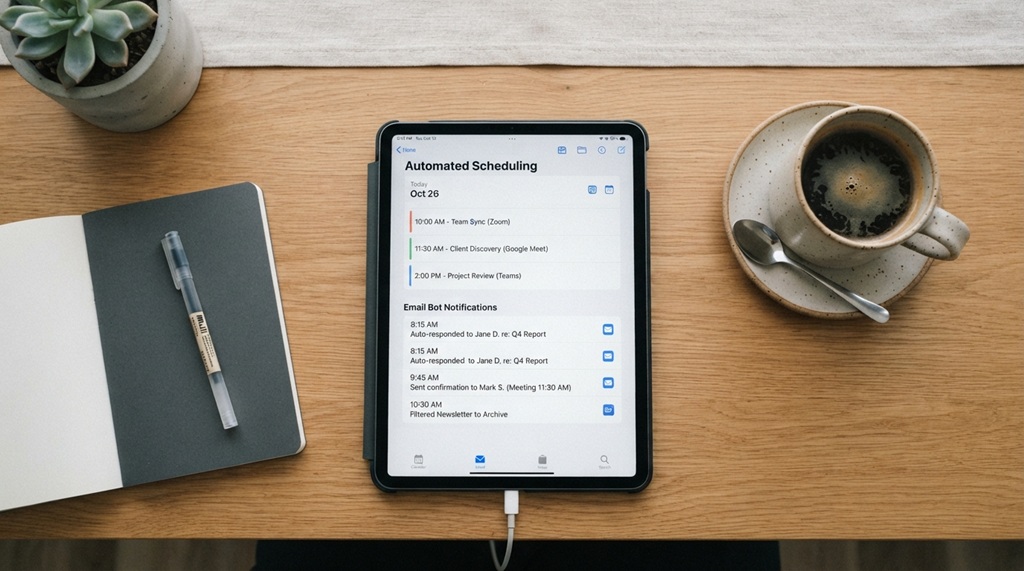
AI task automation means letting software handle repetitive digital work sorting, responding, scheduling, summarizing with little or no manual input after setup. It’s different from traditional automation because the AI layer can interpret unstructured information (like an email’s tone or a document’s content) rather than just matching exact triggers.
Traditional automation (like a basic email filter) follows fixed rules: if the subject line contains “invoice,” move it to a folder. AI-driven automation goes further it can read the email, understand it’s a request for a refund, draft a reply, and flag it for your approval, even if the wording is completely different from anything it’s seen before.
There are generally three layers to this kind of automation:
Rule-Based Automation
Simple, predictable triggers and actions still useful for tasks with no ambiguity, like moving files or sending scheduled reminders.
AI-Assisted Automation
The AI interprets content (emails, documents, messages) and decides what action fits, often asking for your confirmation before acting.
Autonomous AI Agents
Newer tools that chain multiple steps together on their own researching, drafting, sending, and following up with minimal supervision. These are powerful but need clear boundaries so they don’t take actions you didn’t intend.
Which Daily Tasks Are Actually Worth Automating
The tasks worth automating are the ones you repeat often, that follow a recognizable pattern, and that don’t require deep personal judgment every time. Not everything should be automated some tasks lose value or accuracy when handed off entirely to a bot.
Good candidates typically include:
- Email triage and drafting – sorting inbox messages, flagging urgent ones, drafting standard replies
- Meeting scheduling – finding times that work across calendars without back-and-forth emails
- Data entry and transfer – moving information between spreadsheets, CRMs, or forms
- Social media posting – scheduling and reposting content across platforms
- Reporting and summaries – pulling weekly numbers into a digest or dashboard
- Reminders and follow-ups – nudging you or a client when a deadline approaches
Tasks that usually shouldn’t be fully automated include anything involving sensitive judgment calls, nuanced client relationships, or decisions with legal or financial consequences. Automation works best when it removes friction, not when it removes you from decisions that actually need a human.
Best Types of AI Tools and Bots for Daily Automation
The right tool depends on whether you need a simple connector between apps, a smart assistant that drafts content, or a fuller agent that can carry out multi-step workflows. Most people end up using a combination rather than one all-in-one tool.
No-Code Automation Platforms
Tools like Zapier, Make, and n8n let you connect apps (Gmail, Slack, Notion, Google Sheets) using visual workflows, often with an AI step built in for summarizing, categorizing, or generating text partway through the automation. These are ideal if you want automation between apps without writing code.
AI Writing and Drafting Assistants
Tools built for drafting emails, replies, or reports can plug into your inbox or documents and generate first drafts based on context, which you then review and send. This saves the most time on tasks where the structure is repetitive but the exact wording changes each time.
Scheduling and Calendar Bots
AI scheduling assistants read your calendar, availability preferences, and meeting requests, then negotiate times directly with the other party removing the multi-email back-and-forth entirely.
Personal AI Agents and Chat-Based Assistants
General-purpose AI assistants can now be connected to your calendar, documents, and task lists, letting you delegate multi-step work (“summarize this week’s emails and draft replies to anything urgent”) through a single chat interface instead of juggling multiple separate tools.
How to Set Up Your First AI Automation (Step-by-Step)
Start with one task, not ten the biggest reason automation attempts fail is trying to automate an entire workflow before testing whether the tool actually fits how you work.
- Pick one recurring task that takes you 10+ minutes a day or a few hours a week. Inbox sorting and meeting scheduling are good first choices because the patterns are predictable.
- Map the current manual steps exactly as you do them now this becomes the blueprint for the automation logic.
- Choose a tool that connects to your existing apps rather than one that requires switching your whole workflow. Compatibility matters more than features you won’t use.
- Build the automation in “review mode” first – most tools let you approve each action before it runs automatically. Keep this on for at least a week.
- Check the output daily for accuracy, especially for anything AI-drafted, since tone and context errors are the most common issue early on.
- Turn off review mode gradually, task by task, once you’ve confirmed the automation is consistently accurate.
- Revisit and adjust monthly – your workflows change, and an automation set up in January often needs small tweaks by March.
Common Mistakes That Make AI Automation Fail

Most failed automations aren’t caused by bad tools they’re caused by unclear setup, over-automation, or skipping the review phase. Recognizing these early saves hours of troubleshooting later.
Automating Before Understanding the Manual Process
If you don’t fully understand your own current workflow, the automation will replicate the confusion, not fix it. Map the process clearly before building anything.
Giving Bots Too Much Autonomy Too Soon
Letting an AI agent send emails or make bookings without a review step, before you’ve verified accuracy, is how small errors turn into real problems a wrong date sent to a client, for example.
Ignoring Data Privacy Settings
Many automation tools request broad access to your email, calendar, or files. It’s worth checking what data each tool stores and for how long, particularly for anything connected to client or financial information.
Treating Automation as “Set and Forget”
Workflows drift apps update their interfaces, your task patterns change, and automations that worked perfectly for months can quietly break. A quick monthly check prevents small failures from going unnoticed.
Mitigating Automation Debt: The Key to Scalable Workflows
Building a seamless system requires long-term maintenance, as many users unknowingly accrue “automation debt” the dangerous buildup of forgotten bots and undocumented workflows that become risky to modify or disable over time. To safeguard your productivity, maintain a simple running log detailing what each automation does, its connected applications, and its last review date so you never have to reverse-engineer a misfiring trigger six months later. Because these tools rely heavily on precise instructions to function smoothly, write better ChatGPT prompts for accurate results ensures your automated bots execute flawlessly without creating hidden technical friction in your daily operations.
FAQ
Do I need coding skills to automate tasks with AI tools?
No. Most modern automation platforms use visual, no-code interfaces where you connect apps and set triggers without writing anything. Coding helps for advanced custom logic, but it’s not required to get started.
Is it safe to give AI bots access to my email or calendar?
It can be safe if you check the tool’s data handling policies and start with limited permissions. Begin with review mode enabled so the bot doesn’t take actions automatically, and expand access only once you trust its accuracy.
How much time can automation actually save on daily tasks?
It varies by task and how well the automation is set up, but tasks like inbox sorting, scheduling, and reporting are commonly cited by industry experts as some of the highest time-savings areas for AI automation. The exact hours saved depend on your specific workflow and task volume.
Can AI automation replace a virtual assistant?
For narrow, repetitive tasks, yes AI bots can handle scheduling, sorting, and drafting reliably. For tasks needing judgment, relationship context, or nuanced communication, a human assistant still tends to outperform automation.
What’s the best first task to automate if I’m a beginner?
Email triage or meeting scheduling are usually the easiest starting points because the patterns are predictable and the tools for them are mature. Starting small also makes it easier to learn how the tool behaves before automating more complex workflows.
Conclusion
Automating daily tasks with AI tools and bots isn’t about replacing your judgment it’s about removing the repetitive parts of your day so you have more time for the work that actually needs your attention. Start with one task, use review mode while you build trust in the tool, and keep a simple log of what you’ve automated so nothing turns into a mystery six months later. The tools will keep getting smarter, but the habit of starting small and reviewing often is what actually makes automation reliable long-term.

Leave a Reply